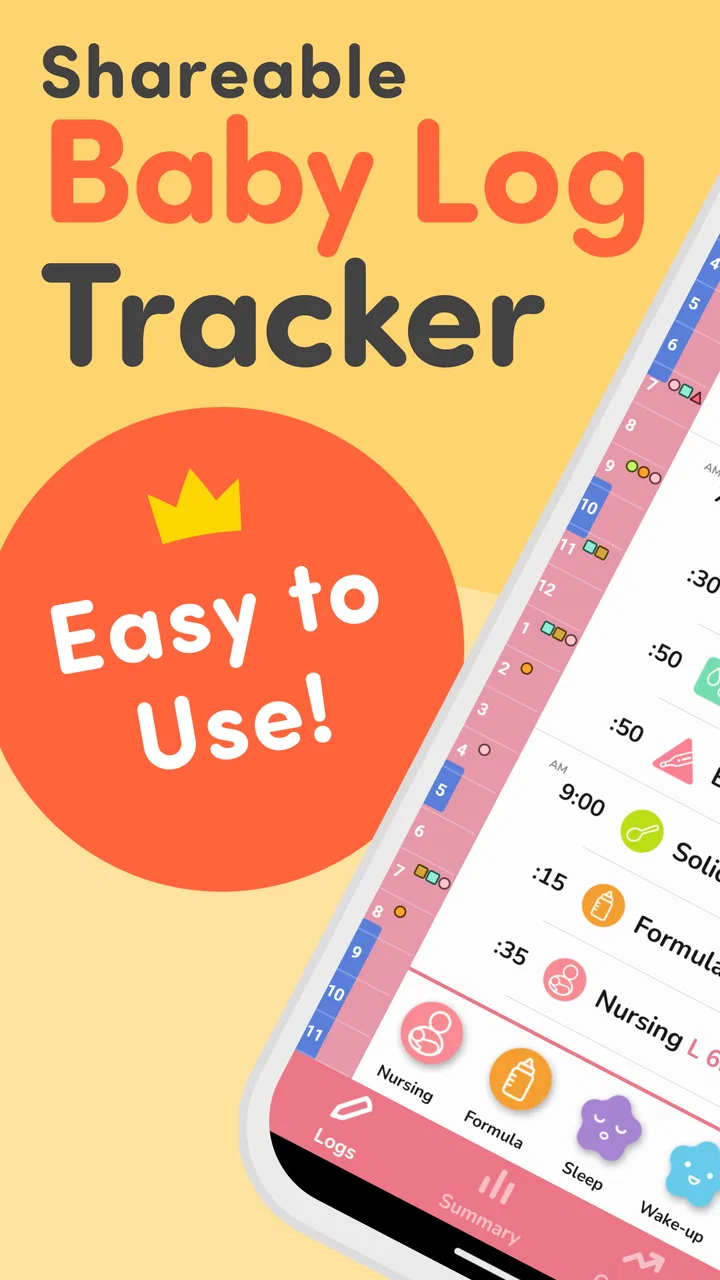
PiyoLog: Newborn Baby Tracker
- 4.9
- Rating
- 1.00M
- Installs
- Free
- Price

 Analysis by App-foxy
When a newborn arrives, even simple record-keeping can become surprisingly difficult. One parent may be feeding while the other is trying to remember the last diaper change, and a tired night can turn a clear routine into a blur. I found PiyoLog: Newborn Baby Tracker most useful as a shared memory aid for those small but important details. It is a free parenting app from PiyoLog Inc. that brings breastfeeding, sleep, eating, growth, and diaper notes into one place instead of scattering them across paper, messages, and memory.
My overall impression is that it is designed for quick entries rather than long planning sessions. That matters because a baby-tracking tool is usually opened with one hand, in low light, or in the middle of another task. The app has earned a 4.9 average from around 27 thousand ratings and has passed one million installs, which suggests that its straightforward approach resonates with many families. Still, popularity does not make every workflow equally comfortable, so I paid particular attention to readability, navigation, physical effort, and the situations in which the app is less convenient.
How PiyoLog works in everyday parenting
The central idea is simple: record what happened, then use the history to understand the day. Instead of relying on a notebook with changing pages or a general notes app with no structure, I could treat feeding, sleep, diapers, food, and growth as separate parts of the same baby record. That organization is the app’s strongest practical advantage.
You May Also Like

 AccuWeather: Weather Radar
AccuWeather Review: A Quick, Clear Forecast for Everyday Decisions
For everyday plans, the best forecast is the one you can understand quickly. AccuWeather makes rain timing, radar, and local conditions easy to act on, with a few trade-offs.

 Hill Climb Racing
Why Hill Climb Racing Still Turns Crashes Into One More Run
A tiny car, a bumpy hill and one more upgrade: Hill Climb Racing keeps resurfacing because its simple chaos makes every near-miss feel personal.

 AliExpress - Shopping App
AliExpress Makes Global Shopping Feel Personal, but Shoppers Bear the Risk
AliExpress turns a global marketplace into a pocket-sized discovery engine. Its reach is useful, its shopping loop compelling, and its trade-offs easy to miss.

 Lords Mobile: Kingdom Wars
Lords Mobile Is a Kingdom-Building Routine, Not a Quick Match
A case-by-case verdict on the building, battles, device demands, and social commitments that make Lords Mobile rewarding for some players and exhausting for others.

 PDF Scanner app - TapScanner
TapScanner Makes Paperwork Easier to Capture, Check, and Share
TapScanner makes scanning with a phone feel less like a rescue operation and more like a dependable step in getting work done. Its capture tools are useful, though not flawless.

 Block Blast!
 Shows How Much a Puzzle Game Can Leave Out
A quiet grid game shows why puzzle players increasingly value instant clarity, repeatable skill and low-pressure play—and where the genre still needs to catch up.
More From Our News Desk
View All News


A realistic example is a late-night feeding. I might be holding the baby, too tired to write a sentence, and unsure whether I will remember the time in the morning. A purpose-built tracker gives that moment a clear destination. Later, when the baby is unsettled, I can look back at the recent pattern rather than trying to reconstruct the night from memory. The value is not that the app makes a parenting decision for me; it reduces the mental load involved in collecting the information.
I also like the distinction between recording an event and interpreting it. PiyoLog can help me notice that naps are becoming shorter or that diaper changes are clustered at particular times, but it should not replace professional medical advice. A record is useful when discussing concerns with a pediatrician, yet it is still only a record. Parents should avoid turning every variation into a diagnosis.
The app is free to start, with optional in-app purchases ranging from $3.49 to $34.99 per item. That makes it approachable for someone who wants to test a tracking routine before spending money. At the same time, families should check which parts of their preferred workflow require payment before they build their entire routine around them. The free starting point is helpful, but the most comfortable long-term setup may not be identical for every user.
Readability and navigation for tired users
For me, the best interface for newborn care is one that answers three questions quickly: what can I record, where do I record it, and what happened recently? PiyoLog’s focused subject matter gives it an advantage over a blank notes app. I do not have to invent labels for feeding or sleep each time, and the baby-care context makes the available choices easier to understand.
The app is intended for Everyone and supports Android 8.0 or later. That broad audience positioning is reassuring for families who want a conventional phone rather than a specialist device. However, an age rating does not automatically tell me that every screen will suit every visual, cognitive, or motor need. I would still judge the experience on the individual phone, display settings, and the parent using it.
Readability becomes especially important during night feeds. A screen that feels perfectly clear in daylight may be too bright, too dense, or tiring when a parent is half awake. I found it sensible to prepare the app before the baby arrives: open the main recording areas, decide which information matters most, and adjust the phone’s own display settings if needed. This small preparation step is more useful than trying to learn the navigation during a difficult night.
Another helpful habit is to agree on a family vocabulary. If two caregivers record the same event differently, the history becomes harder to interpret. One person might treat a short doze as sleep while another leaves it unrecorded. PiyoLog can organize the entries, but it cannot solve inconsistent household routines. A brief agreement about what counts as a feeding, nap, or diaper entry makes the resulting record much more reliable.
Motor and sensory considerations in real use
Newborn care often involves limited hand movement. I may be holding a baby, balancing a bottle, wearing gloves outdoors, or using the phone with my non-dominant hand. That makes the number of taps and the precision required for each entry more important than it would be in an ordinary planner. PiyoLog is most useful when I keep the recording process short and avoid trying to enter a full explanation every time.
This is also where the app’s specialized design can help and hinder. Structured categories reduce typing, which is good for a parent with one available hand or low energy. On the other hand, any tracker can become frustrating if the user must navigate several screens before saving a simple event. I recommend practicing a few common entries in advance and deciding which details are genuinely worth capturing. Recording everything may sound thorough, but it can turn a helpful tool into another chore.
Parents with tremors, reduced dexterity, joint pain, or temporary hand limitations may need a different approach. A larger phone, system-level accessibility controls, or a second caregiver may make the experience more manageable. I would not assume that a small touch target or a visually compact control is comfortable for everyone. The practical test is whether the user can complete the most frequent action without repeated corrections or accidental selections.
Sensory needs deserve equal attention. Newborn routines already involve noise, interrupted sleep, and frequent visual stimulation. A tracker should support the routine rather than demand constant attention. I prefer using it at natural stopping points, such as after settling the baby, instead of checking it obsessively after every small change. That approach reduces screen exposure and keeps the record useful without allowing the app to dominate the day.
For users who depend on a screen reader, magnification, high contrast, or other phone-level tools, the experience may vary by device and operating system. I would try the most important actions first: opening the relevant record, saving it, and reviewing the recent history. If those steps are not clear with the user’s preferred settings, a simpler paper backup or a different tracker may be the better choice. That is not a failure of the parent; it is a sign that the workflow must fit the person.
Situational access: night feeds, shared care, and busy days
PiyoLog makes the most sense when several small events need to be remembered across a changing day. A breastfeeding parent may want a consistent place for feeds and sleep, while another caregiver needs enough context to take over. The app can be part of that handoff, especially when both people agree to record events promptly and use the same profile or routine.
Shared care is not automatically effortless. A tracker only reflects what has been entered, so an exhausted caregiver may forget to log an event or may assume someone else did it. I found it useful to treat the app as a shared notebook, not as an automatic household record. A quick verbal handoff still matters: “the baby slept after the last feed” is sometimes more important than perfect data entry.
The app can also be useful outside the home. During a visit to family, a trip to a clinic, or a long day away from the nursery, having the baby’s recent routine in one place is more practical than carrying loose notes. But phone dependence creates its own situational barrier. A low battery, a distracting environment, or a caregiver who cannot safely handle a phone while carrying the baby can interrupt the routine. I would keep a simple fallback method for unusual days rather than treating digital tracking as the only source of truth.
For parents with limited language confidence, a focused parenting app may be easier than a general productivity tool because the purpose of each section is more apparent. Even so, the most inclusive experience is one where the user can understand an action without guessing. If a caregiver is sharing the app with relatives who are less comfortable with smartphones, showing them only the few actions they need is better than expecting them to learn the entire system.
There is also an emotional aspect to situational access. Some parents feel calmer when they see a clear history; others become anxious when they monitor every interval. PiyoLog is a good fit for the first group and may need careful limits for the second. I would choose a small set of tracking goals, review the history at a sensible time, and stop recording details that do not lead to a useful decision.
What the tracker does well for growth and conversations
The inclusion of growth alongside everyday care gives the app a broader role than a simple feeding timer. Growth information can help me keep observations together, while sleep, eating, and diaper notes provide surrounding context. That combination is valuable when I want to explain a change in routine clearly rather than offering a vague impression that “something has been different.”
The important word is context. A single unusual nap or feeding does not tell me much by itself. A sequence of entries may reveal a pattern, but patterns still need sensible interpretation. I would use the history to prepare questions for a healthcare professional, not to make medical judgments alone. This distinction is particularly important for new parents, who may understandably look for certainty in every number and timestamp.
One non-obvious benefit is that structured records can improve communication between caregivers who notice different parts of the day. One parent may handle mornings, another evenings, and a grandparent may help during appointments. A shared history can reduce the need for repeated explanations. The trade-off is that the family must protect the quality of the record by entering information consistently and correcting mistakes when they notice them.
I also found that less data can produce a better record. If I try to track every minor detail, I am more likely to abandon the habit. A sustainable routine might focus on the events that matter for the family’s current concern, then expand only when needed. That is a stronger approach than treating the app as a test of parental discipline.
Remaining barriers and when another option is better
PiyoLog is not the right choice for every household. Parents who want a highly customized family dashboard, extensive planning tools, or a single system for appointments, shopping, and household tasks may find a dedicated baby tracker too narrow. A general family organizer could be better when the main need is coordination rather than baby-specific logging.
It may also be a poor fit for someone who dislikes entering information on a phone. A paper chart can be faster in a quiet nursery, easier to leave beside the changing area, and less dependent on battery life. The downside is that paper is harder to search, share, or carry without damage. I would choose the method that the household will actually maintain, not the one that looks most sophisticated.
Another limitation is the risk of over-tracking. The app’s categories can encourage close attention to routine, which is useful when a healthcare professional has asked for specific observations. Without a clear purpose, though, constant logging can increase stress and make normal variation feel alarming. My advice is to define the question first, then record only what helps answer it.
Cost can become a consideration as well. The app is free, but optional purchases are available, and families should decide whether the paid elements offer enough value for their particular routine. I would begin with the basic workflow, test it during an ordinary week, and only then consider spending. That avoids paying for features that sound useful but never become part of daily life.
Accessibility remains a practical rather than purely technical question. A parent with low vision, limited dexterity, hearing-related needs, or cognitive fatigue may need the app to work alongside phone settings, caregiver support, or an alternative record. I appreciate the focused purpose, but I would not present it as universally effortless. Inclusive design is measured by whether a real caregiver can complete the important tasks comfortably, not merely by whether the app is available to a broad age group.
My inclusive verdict for new parents
After using it as a newborn-care companion, I see PiyoLog as a focused, approachable option for parents who want one organized place for daily observations. Its strongest quality is not complexity; it is the way it turns scattered memories into a consistent record covering feeding, sleep, eating, growth, and diapers. The free entry point makes it easy to try, and the app’s parenting focus is clearer than a general notes tool.
I would recommend it to a family that values routine, wants to share information between caregivers, or needs a clearer history before a healthcare conversation. I would especially suggest preparing the common recording steps before the baby arrives and agreeing on a simple household method for entering events. Those two choices do more to improve the experience than attempting to document every detail.
I would be more cautious for parents who become anxious from frequent monitoring, who need extensive customization, or who cannot comfortably use a touchscreen during care. In those situations, PiyoLog may work as a secondary record, but a paper method, a broader family organizer, or another app with a better-matched interface could be preferable.
For me, the final judgment is positive but practical: PiyoLog is most valuable when it lowers memory pressure without creating a new obligation to measure everything. It supports a range of everyday parenting situations reasonably well, yet the best experience depends on the caregiver’s vision, dexterity, energy, phone settings, and willingness to maintain a shared routine. As a free parenting app from PiyoLog Inc., rated for Everyone and available for Android 8.0 or later, it is worth trying when a simple, baby-focused record is exactly what your household needs.
FAQs for PiyoLog: Newborn Baby Tracker
01What is PiyoLog: Newborn Baby Tracker and what does it offer?
PiyoLog is a comprehensive tool for parents to track their newborn's daily activities and development. It offers features such as feeding logs, diaper change records, sleep tracking, and growth charts. The app is designed to help parents keep organized and informed about their baby's needs and progress, ensuring they can provide the best care possible.
02Is PiyoLog available on both Android and iOS platforms?
Yes, PiyoLog is available for download on both Android and iOS devices. Users can find it on the Google Play Store and the Apple App Store. This accessibility ensures that parents can use the app regardless of their smartphone preference, making it a flexible option for all caregivers.
03How user-friendly is the PiyoLog app for new parents?
PiyoLog is designed with user-friendliness in mind, catering to new parents who may be overwhelmed. The interface is intuitive and straightforward, allowing users to easily log data and access information. Additionally, the app includes helpful guides and tips to assist parents in navigating its features effectively.
04Does PiyoLog offer any sharing capabilities for caregivers?
Yes, PiyoLog includes sharing features that allow multiple caregivers to access and update the baby’s information. This is particularly useful for parents, babysitters, or family members who need to stay informed about the baby's schedule and care routine, ensuring consistency and collaboration in caregiving.
05Are there any costs associated with using PiyoLog?
PiyoLog is free to download, but it may offer in-app purchases or premium features for users looking to enhance their experience. These additional features could include advanced tracking options or personalized insights. It's recommended to review these options in the app store description before downloading to understand any potential costs.
Pros
- Intuitive interface for easy tracking.
- Customizable reminders for feeding times.
- Syncs data across multiple devices.
- Supports multiple baby profiles.
- Comprehensive tracking of baby's activities.
Cons
- Limited free features
- requires upgrades.
- App can lag with heavy use.
- Occasional sync issues reported.
- User interface lacks visual appeal.
- Notifications can be overwhelming.

PiyoLog: Newborn Baby Tracker
Gallery